Fitness tracking for iPhone
Know the road
ahead of you.
stepO tracks your runs and steps, turns a photo of your plate into calories and macros, and puts the hazards other athletes reported onto your route — so you see the loose dog before you reach it, not after.
- Freeno subscription
- No adsever
- Privatelocation only during workouts
- GPS route tracking
- Hazard alerts
- Live location sharing
- Daily step goals
- Meal scanning
- Calories and macros
- Barcode scanner
- AI coach
- Streaks
- Personal records
- Water log
Four things,done properly.
No dashboard full of numbers you will never look at. The workout, the day, the food and the proof — each with a screen that earns its place.
Live workout
Run it, and see it drawn.
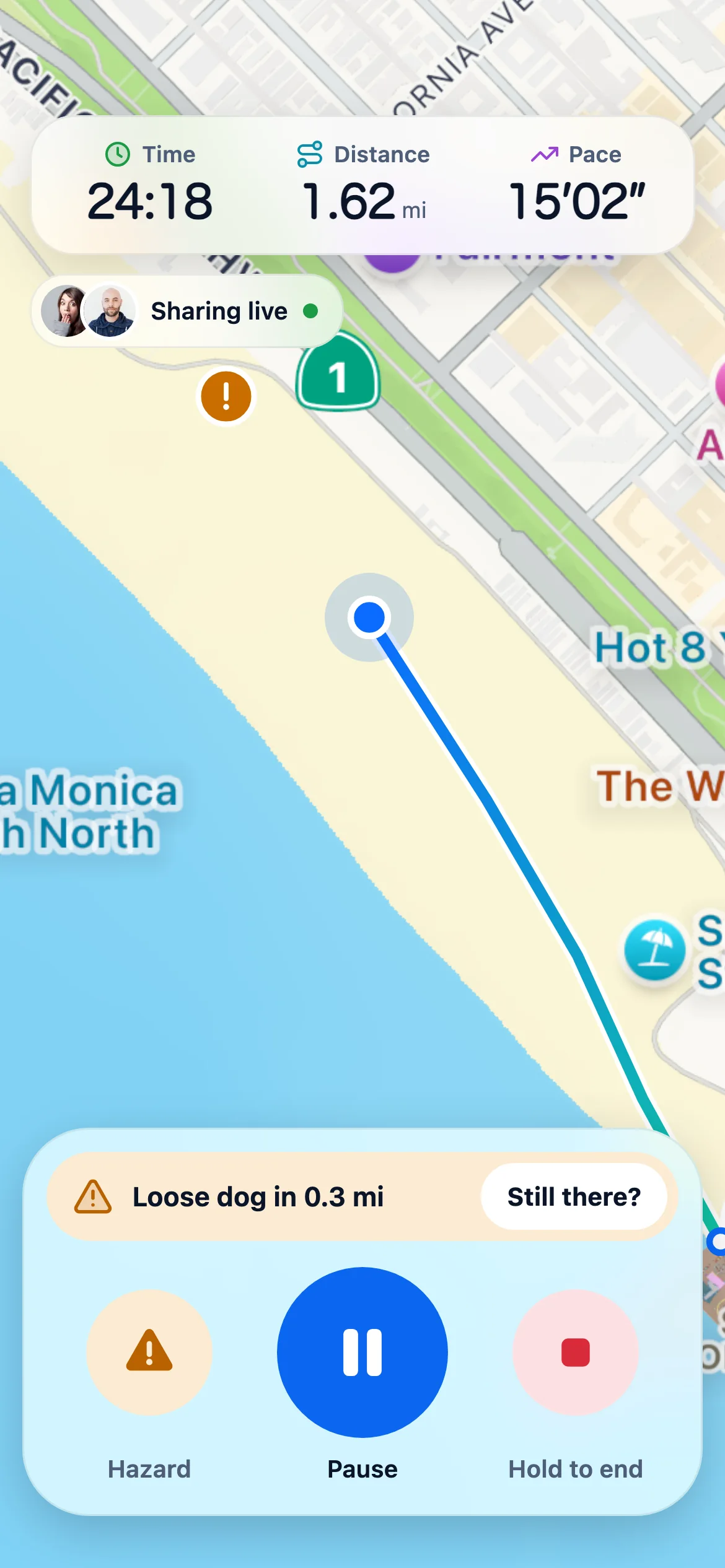
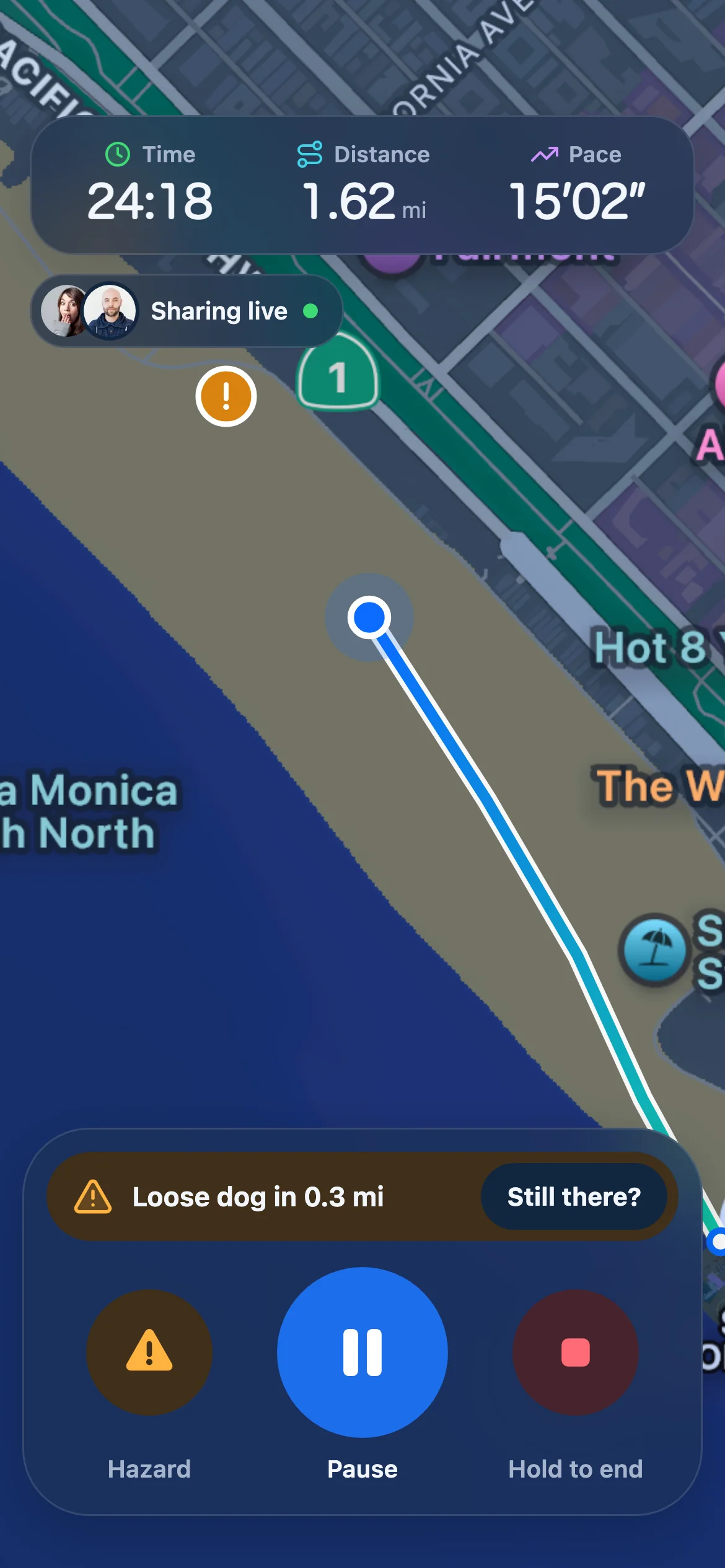
Start a walk, run or ride and the route draws itself as you go. Time, distance and pace sit at the top, the people you chose watch along live, and anything reported ahead lands on the map before you get there.
- Live pace, distance and time
- Trusted contacts watch the run as it happens
- Every workout kept, with its map
9:41Home
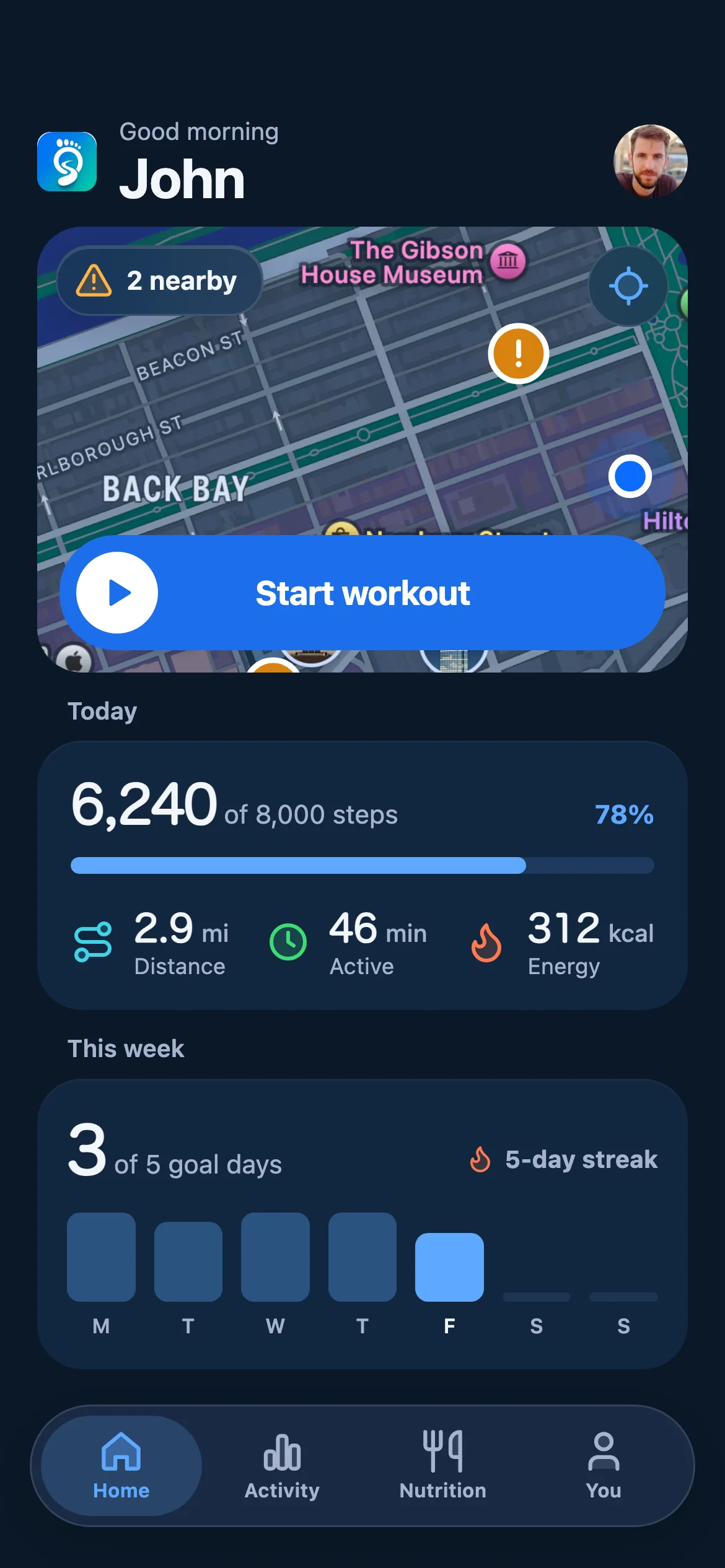
Today, on one screen.
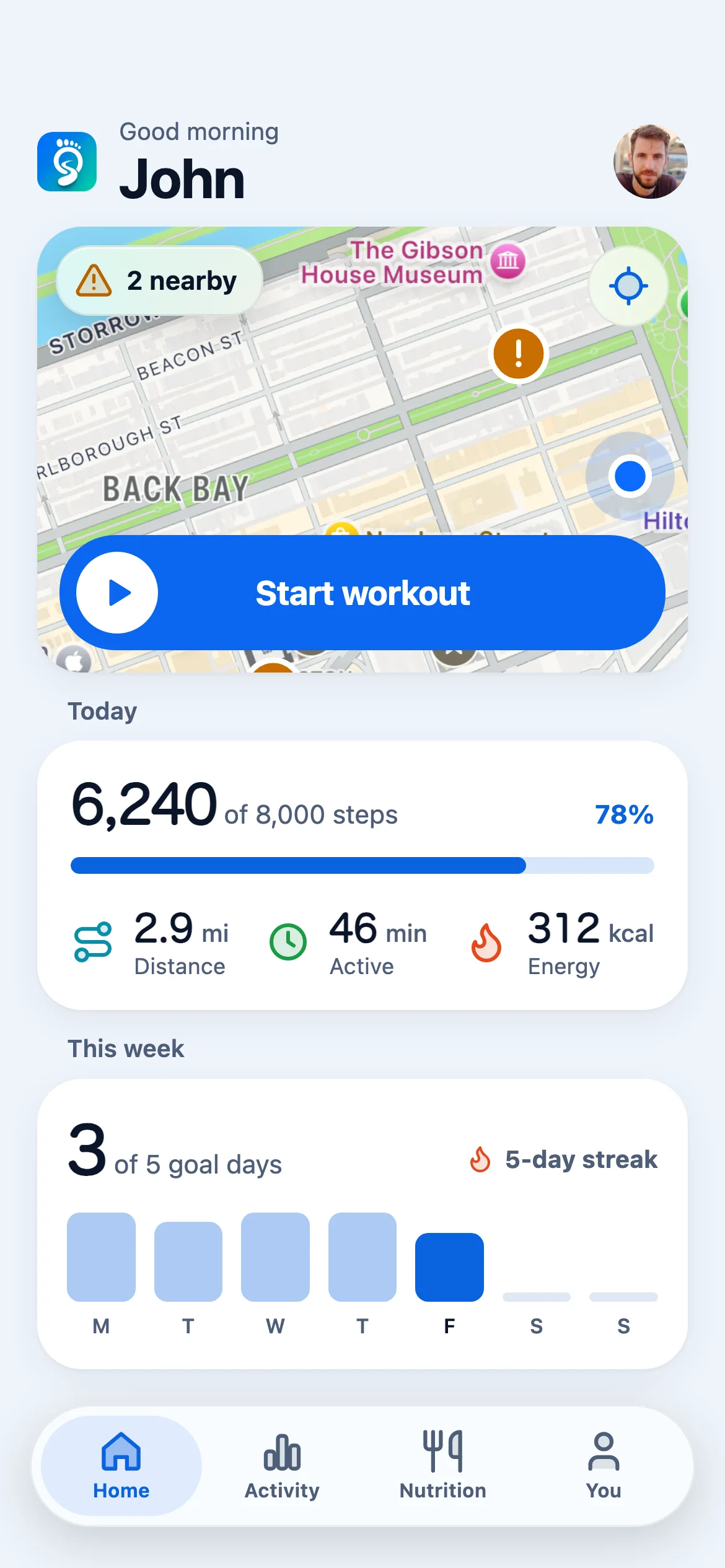
Home is the day at a glance: what has been reported near you, your steps against the goal, and how the week is going. Start a workout straight from the map. No digging, no dashboard.
- A daily step goal you set and adjust
- Streaks and goal days, week by week
- Active days you choose, reminders that keep you to them
 9:41
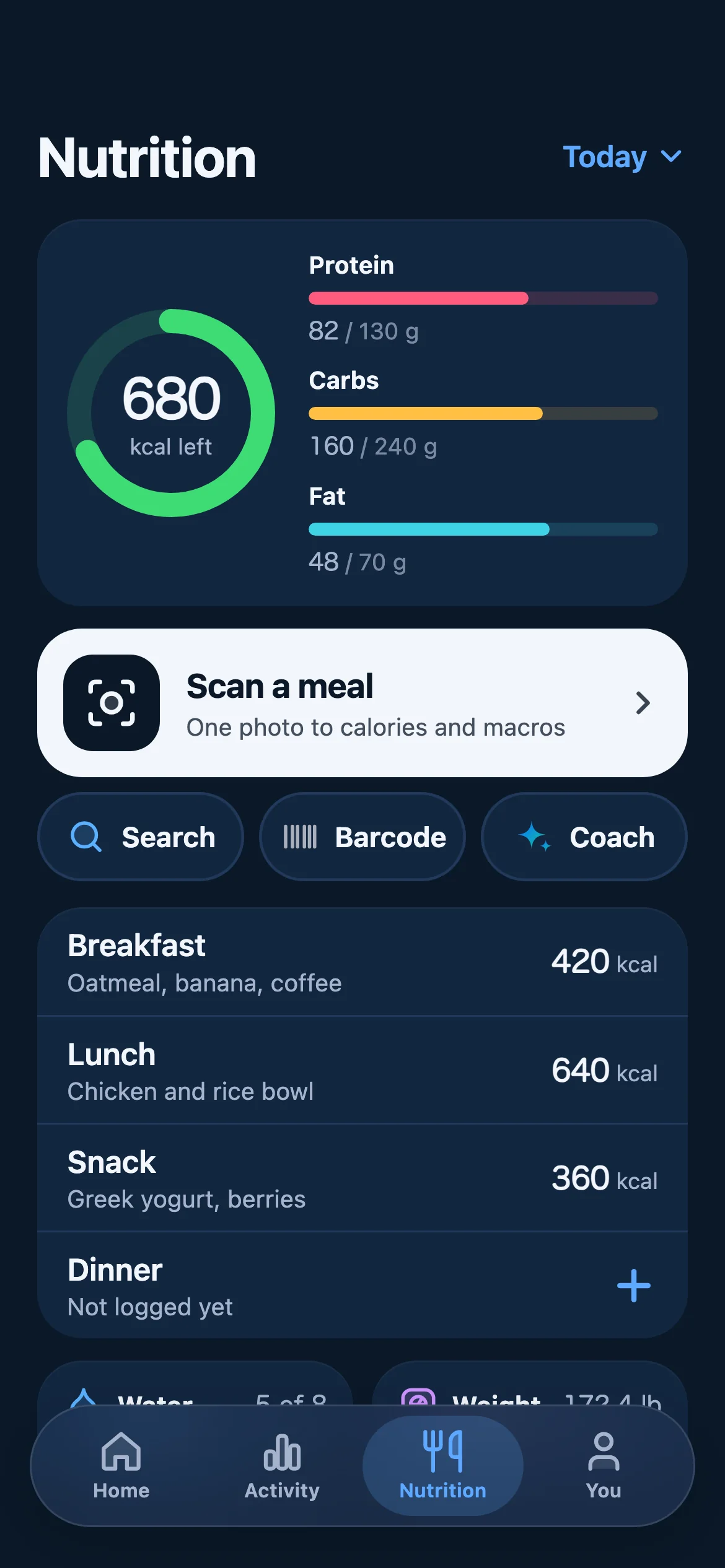
9:41Nutrition
Point the camera at your plate.
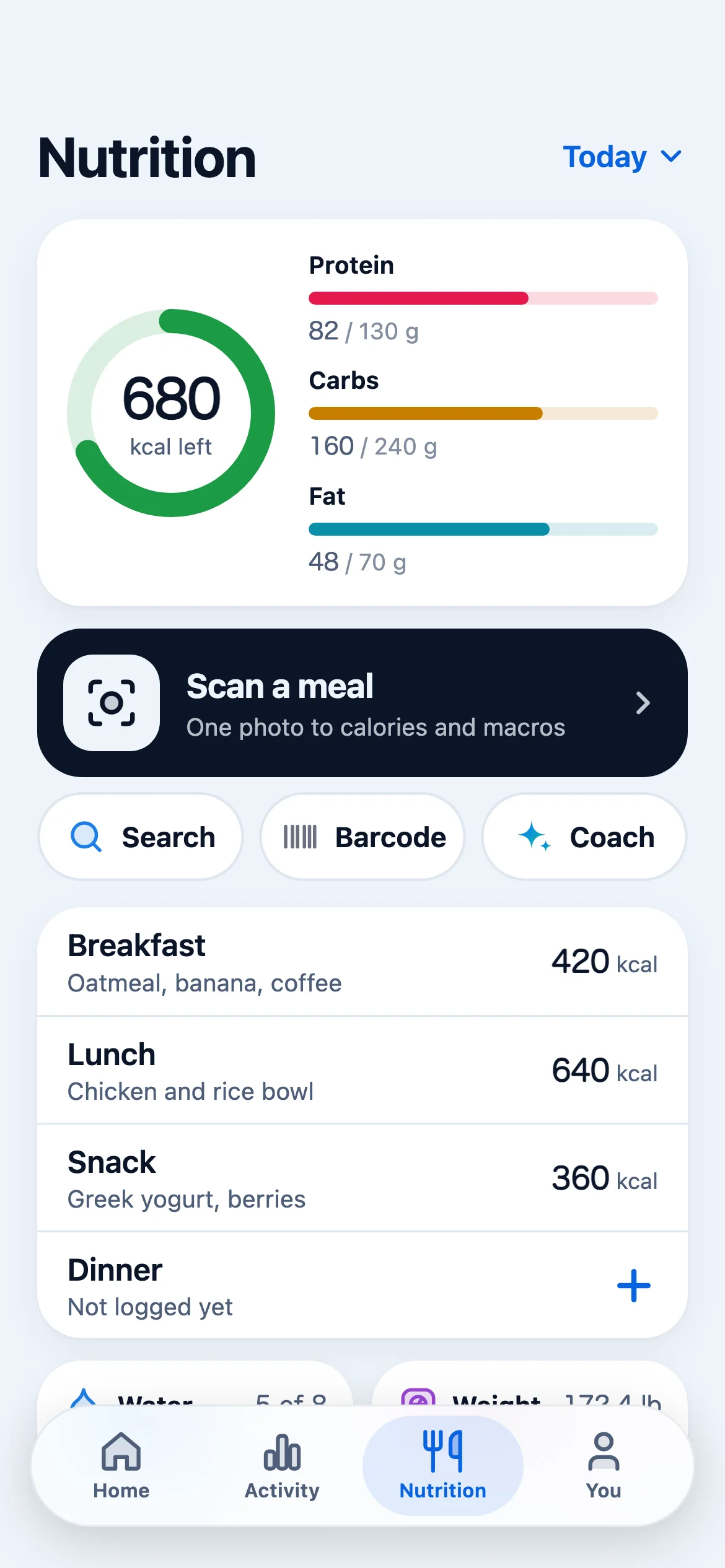
One photo of a meal and stepO reads it into calories and macros. Barcodes and search cover the packaged stuff, and the coach already knows what you ate when you ask what to have next.
- Photo to calories and macros
- Barcode scanner and food search
- A coach that knows your steps, meals and sleep
 9:41
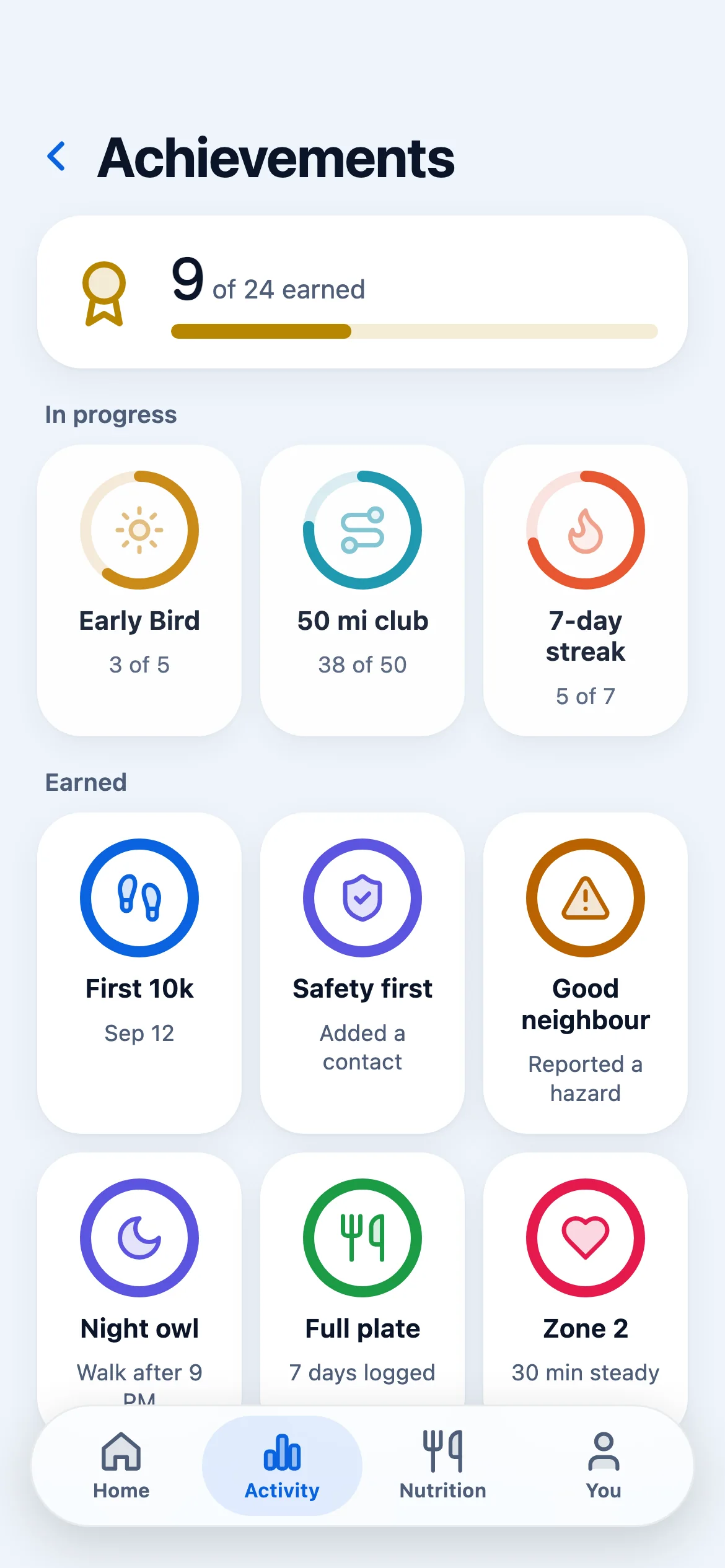
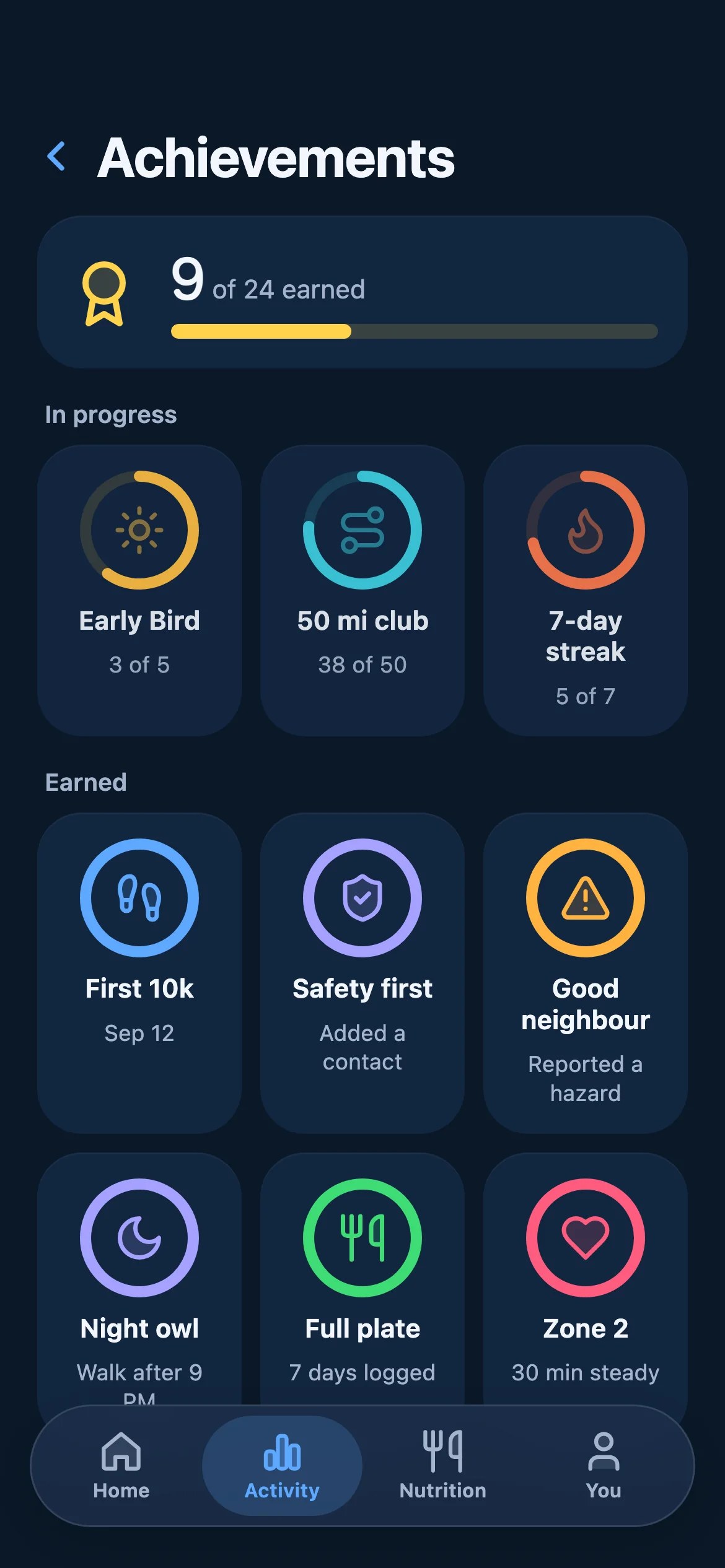
9:41Achievements
Proof you are getting better.
Firsts, streaks and distance milestones become badges, and pace and distance trend across weeks, so the improvement stays visible long after the workout is over.
- Personal records by distance
- Badges for firsts, streaks and safety
- Trends and splits across weeks
 9:41
9:41
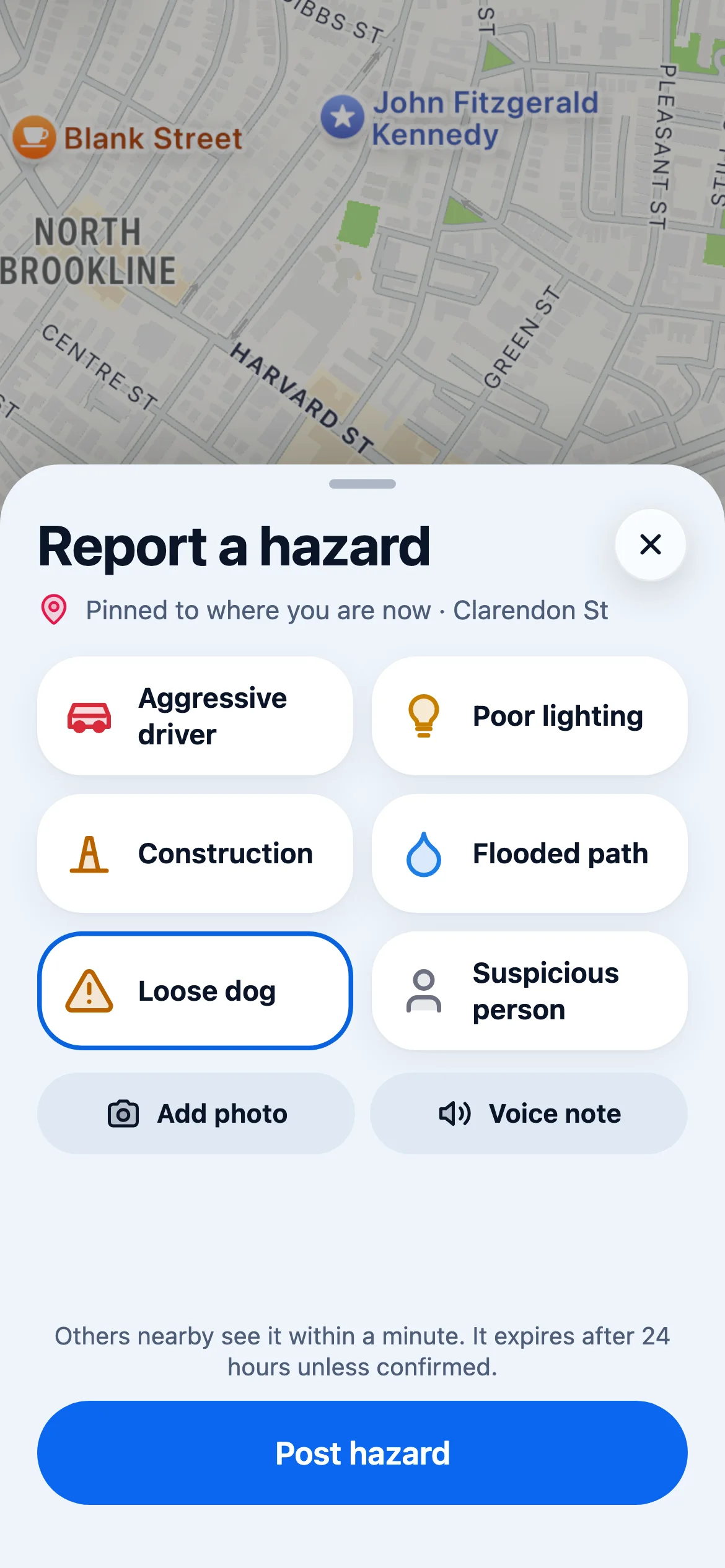
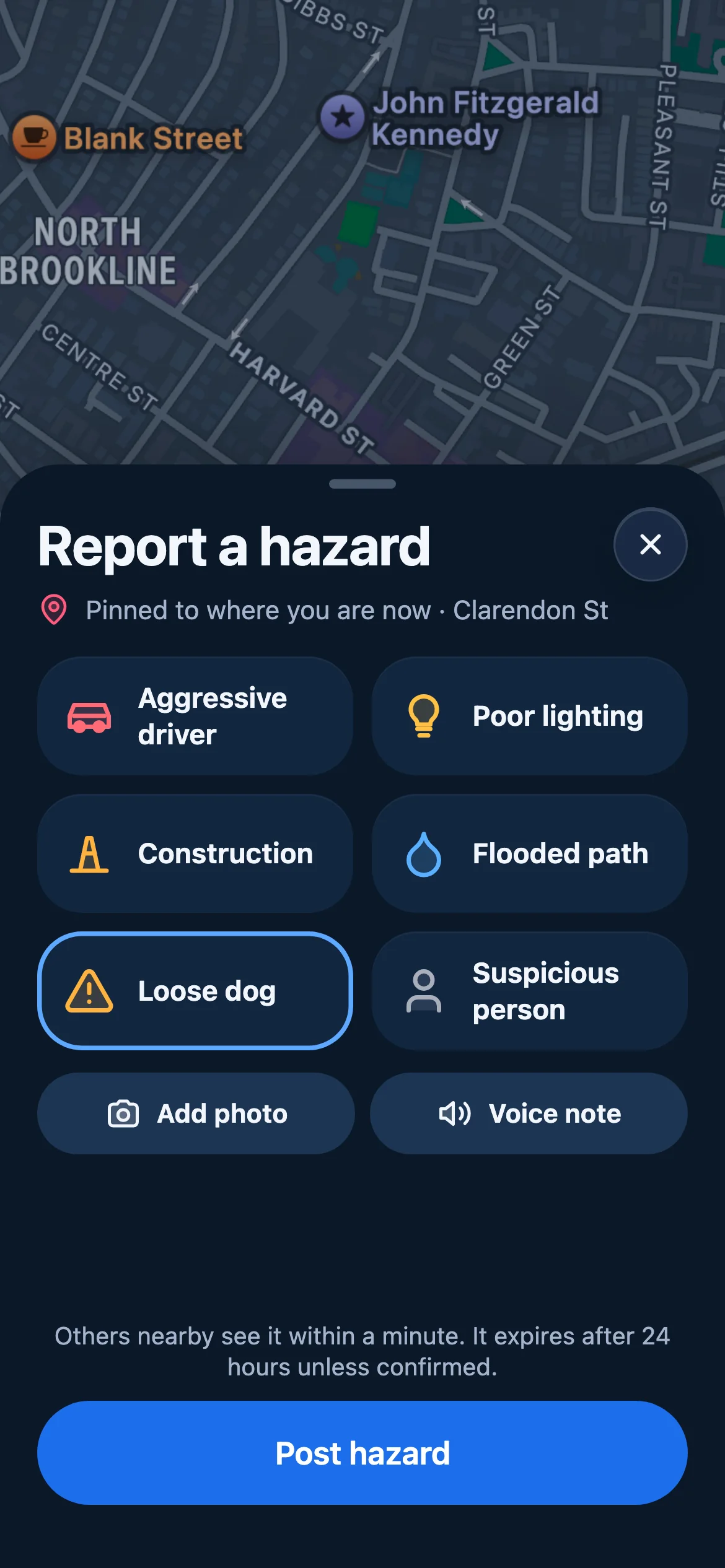
Somebody hasalready been there.
Every other tracker tells you where you went. stepO tells you what is waiting on the road in front of you, because the athletes who ran it earlier put it on the map.
- Alerts appear on your map while the workout runs
- A warning as you get near a report, not after you pass it
- Report what you run into, and confirm what others found
Three reports on the run below
- On your route0.5 mi in
Loose dog
Aquatic Park path · Reported 12 min ago
Two runners flagged a dog off the lead on the park path. The warning reaches you while you are still on the street, with enough room to take the road instead.
Seen by 2 runners
- On your route1.0 mi in
Trail closed
Shoreline at the pier · Confirmed by 4 runners
The waterfront path is fenced off for works. stepO puts it on your map before you commit to the turn, instead of you finding out at the barrier.
Confirmed 4 times today
- On your route1.7 mi in
No street lighting
Bay Street, the long block home · Reported last night
The block back up the hill has been dark since Tuesday. Worth knowing before you plan an evening route through it — and worth reporting for whoever runs it next.
Reported by 1 runner
Six screens,one workout.
From the first tap to the last mile, and the meals in between.
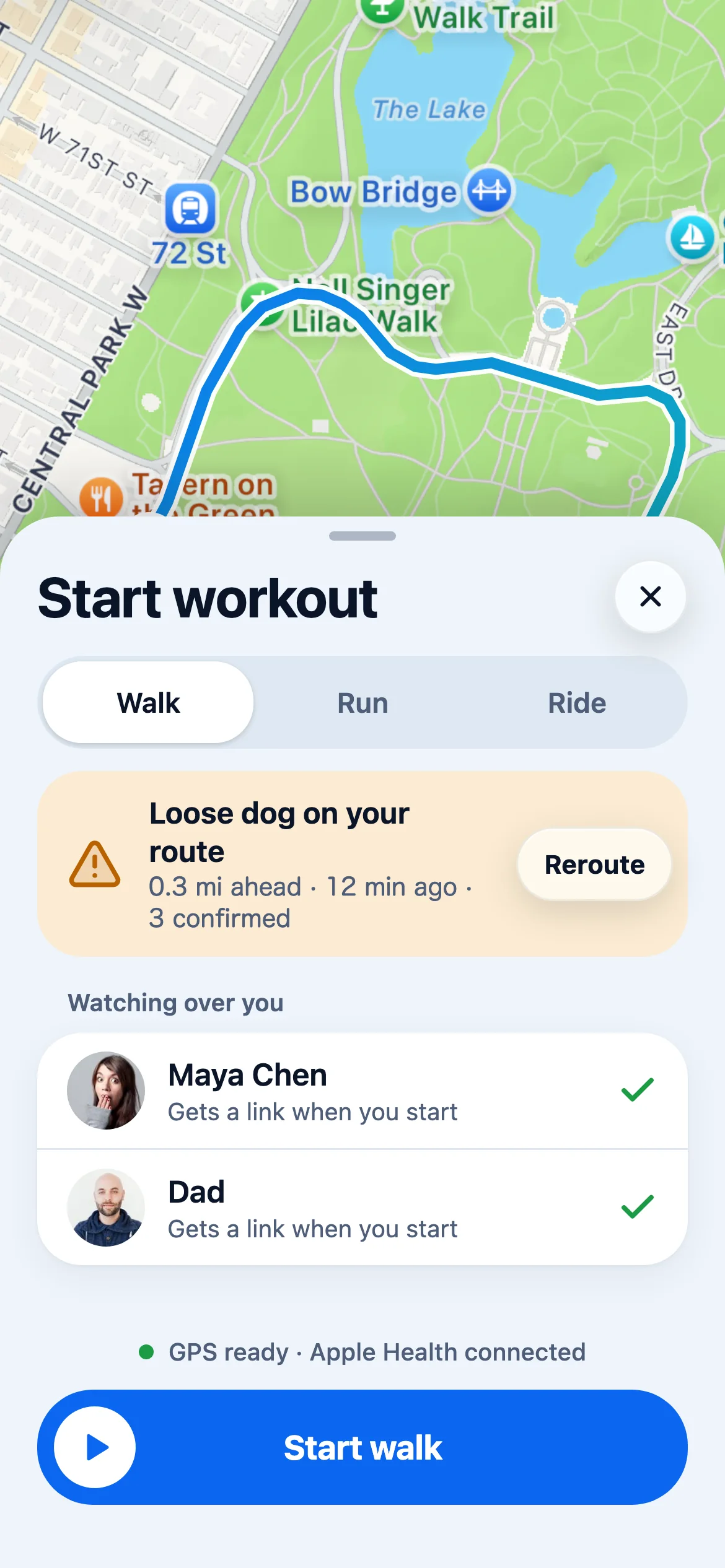
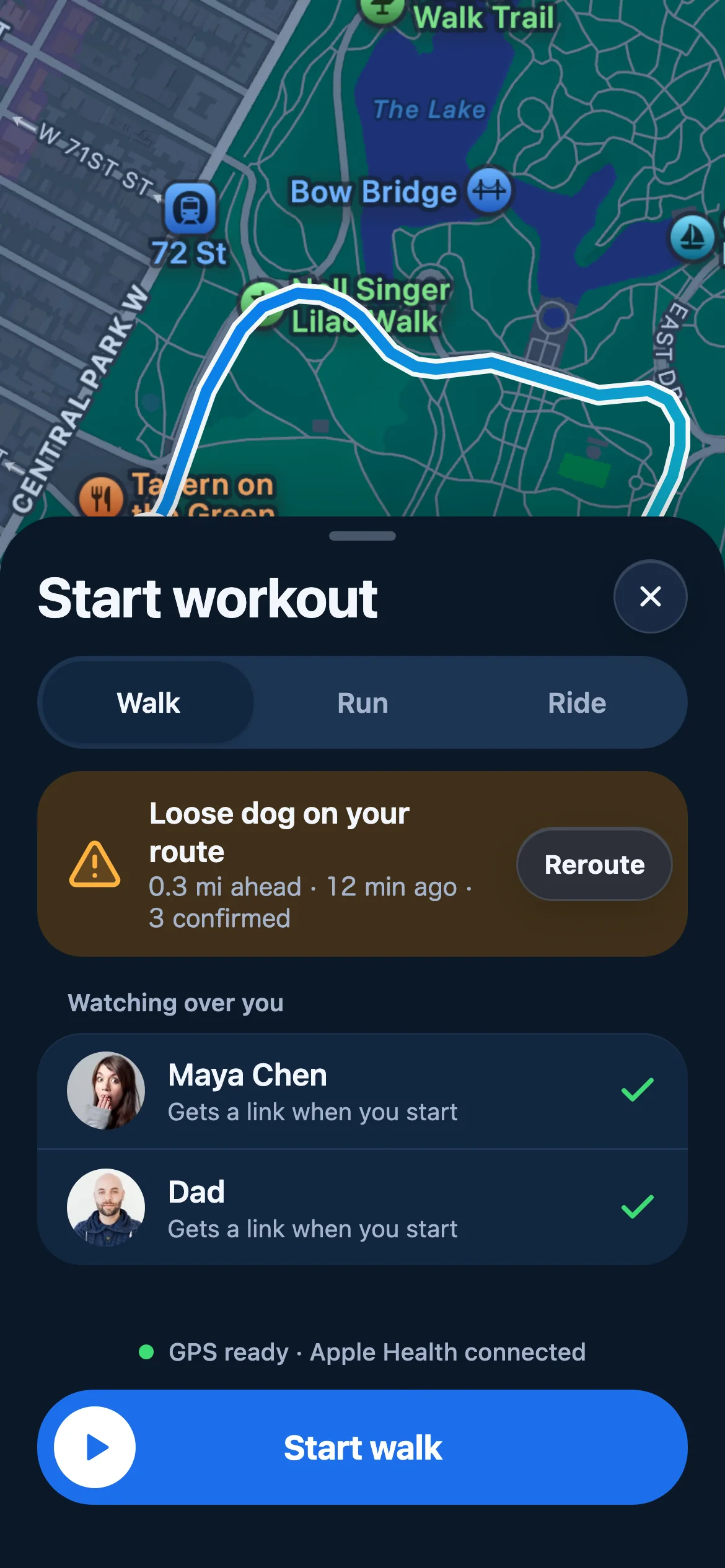
Start a workout
Live workout
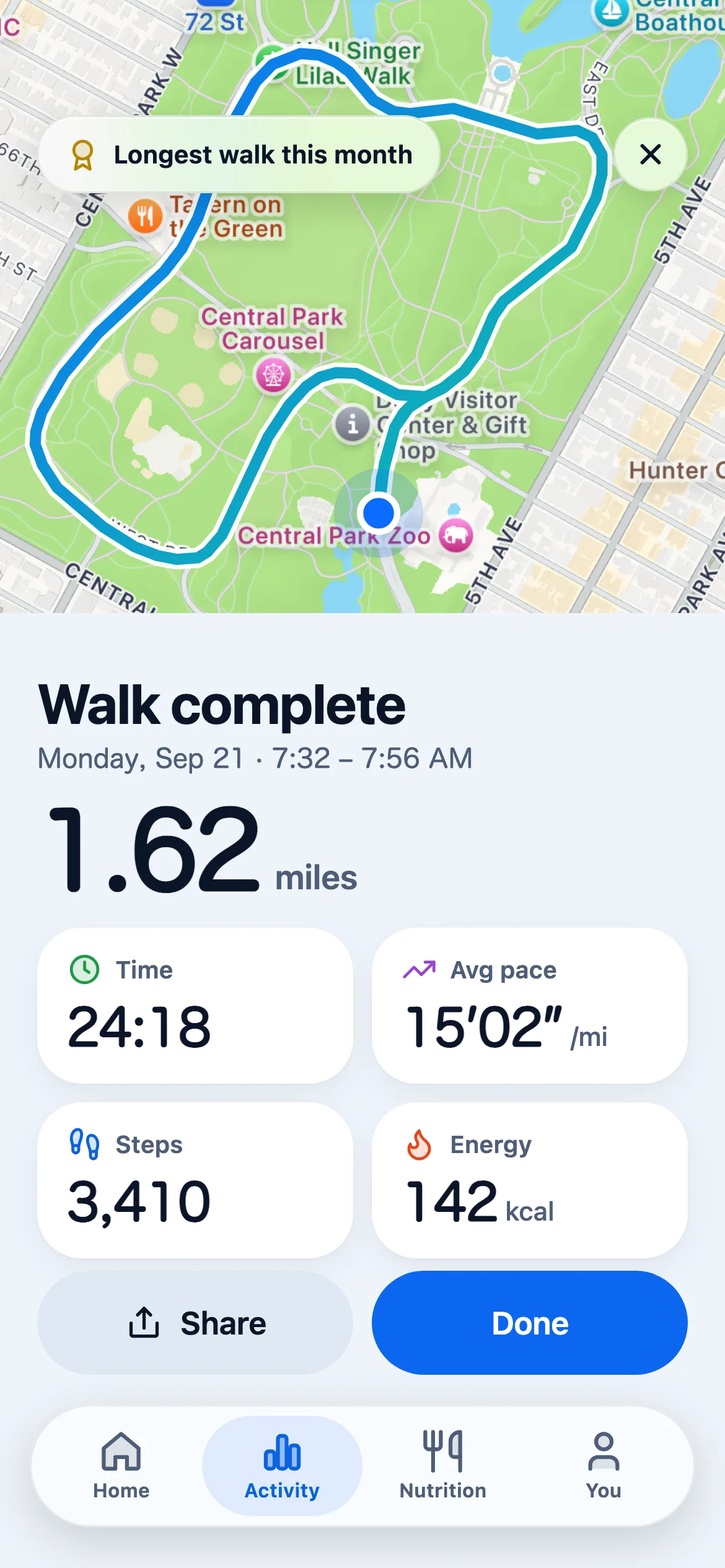
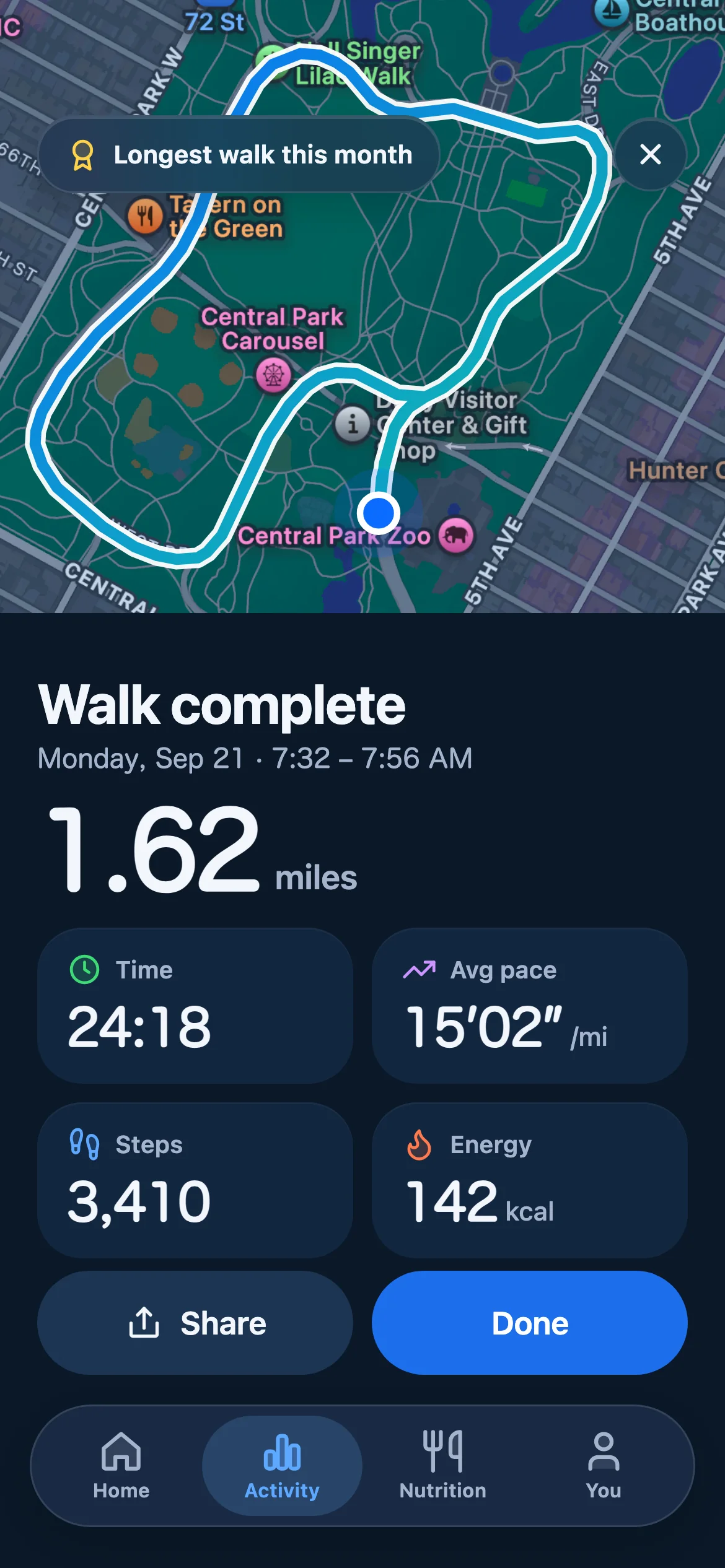
Route summary
Report a hazard
Nutrition
Achievements
Lace up.The road is mapped.
Free on iPhone. No ads, no subscription, no data sold.
Somethingnot working?
Most problems come down to an iOS permission. Start here, and if none of it helps, send an email and you will hear back within two business days.
Email support
Include your iPhone model and iOS version. It usually saves a round trip.
support@stepofit.comGPS is not recording my route
Open Settings, then stepO, then Location, and set it to Always. iOS stops passing location to the app mid run when this is set to While Using.
My steps are not counting
Open Settings, then Privacy and Security, then Motion and Fitness, and turn on access for stepO. Steps are read from the iPhone motion sensor, so this permission is required.
The barcode scanner cannot find my item
Type the number printed under the barcode into the manual entry field. The food database does not cover every regional product.
A hazard alert is out of date
Tap the report on your map and mark it as cleared. Reports also expire on their own once nobody confirms them.
Your datastays yours.
The short version: location is read during workouts and nowhere else, nothing is sold, and one email deletes all of it.
Last updated September 2026
stepO collects the following to run its features:
- Location (GPS), during an active workout only, to draw your route
- Motion and fitness data, to count your daily steps
- Name and email, to identify your account
- Workout history and nutrition logs, stored on our servers
- A profile photo, if you upload one
- We do not sell your data to third parties
- We do not show ads
- We do not track your location when the app is closed
- We do not share your personal information without your consent
- Firebase (Google) for account sign in
- Mapbox for map rendering on workout routes
- Open Food Facts for the public food database behind barcode lookups
Data is stored on secure servers and every transfer uses HTTPS. To delete your account and everything attached to it, email support@stepofit.com and we will remove it.